





Callbacks
abstract
Callbacks are user-defined keywords that are automatically executed at various points of the path life cycle.
Types of callbacks
-
On Path End
- It is called at the end of a
path(even if there are errors in the path and the path stops in the middle).
- It is called at the end of a
-
On Path Error
- It is called whenever an error occurs in the
path.
- It is called whenever an error occurs in the
-
On Path Failure
- It is called whenever an assertion failure occurs in the
path.
- It is called whenever an assertion failure occurs in the
Callbacks Attachment
Project
Applied to allpaths across all flowcharts in the project.
-
Click on the dropdown arrow to the right of
Runbutton and chooseCallbacks. -
This will open up the
Callbacksdialog.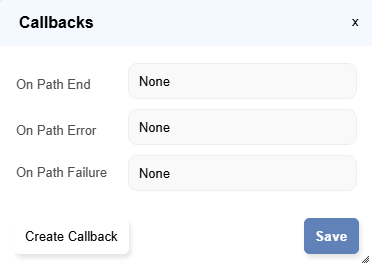
- Attach the necessary callbacks keywords in the dialog. Click on
Save.
Flowchart
Applied to allpaths within a specific flowchart.
-
Click on the dropdown arrow to the right of
Runbutton and chooseCallbacks. -
This will open up the
Callbacksdialog.
- Attach the necessary callbacks keywords in the dialog. Click on
Save.
Path
Applied to a specificpath.
- In the
Table Viewdialog, navigate to theTruth Table VieworExecution Order, then click on theEditbutton under callbacks column. -
This will open up the
Callbacksdialog.
- Attach the necessary callbacks keywords in the dialog. Click on
Save.

info
When multiple
This means:
callbacks are defined for the same event type, the system resolves them in the following priority order: Path > Flowchart > ProjectThis means:
- If a
callbackis defined at thepathlevel, itoverridesthe flowchart and project level callbacks for that path. - If no
path-levelcallback is defined, theflowchart-levelcallback is used. - If neither
pathnorflowchart-levelcallback is defined, theproject-levelcallback is executed.
Run Till Here, Run This, etc