

Flowchart Paths and Branches
There can be multiple paths/flows in a Flowchart. This allows grouping of similar test flows together.
New Paths can be added in 2 ways:
- As a branched subpath to another path
- As a new path starting from the
Startnode.
Branch without Condition
Section titled “Branch without Condition”Many test flows start off with the same steps and then start diverging later. Such flows can be designed using branches.
Branches reduce duplication and give a clear view of the various flows possible from a particular stage in the application.
Sub-Labels can be added to a path at any point to give some context or description to the branched flow.
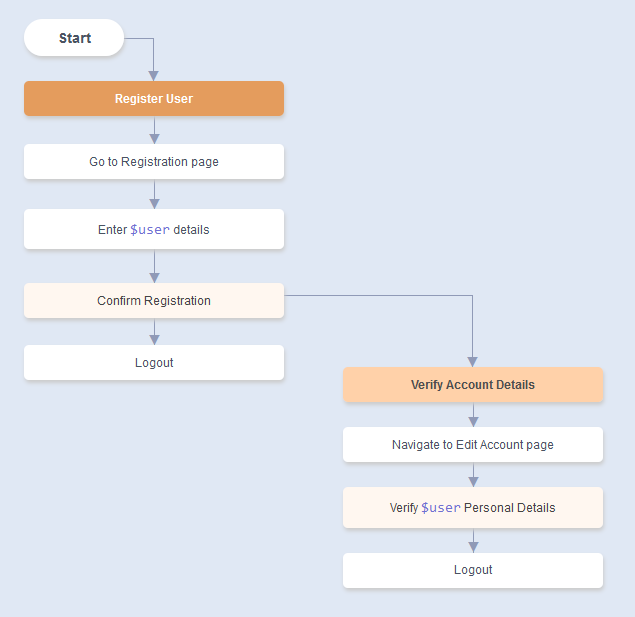
- Any number of branched nodes can be added to a non-Condition Node.
- A Sub-Label helps in giving more context to a branch. It is not mandatory. It can be added anywhere in a path.
- Every path can have its own associated Dataset
Controlling Branch Flow with Sub-Label Grouping
Section titled “Controlling Branch Flow with Sub-Label Grouping”Sub-label groups are used to ensure that paths follow specific branches only.
A sub-label group has two parts - a group name and a value.
It is written in the form <group_name>:<value> inside a Sub-Label node.
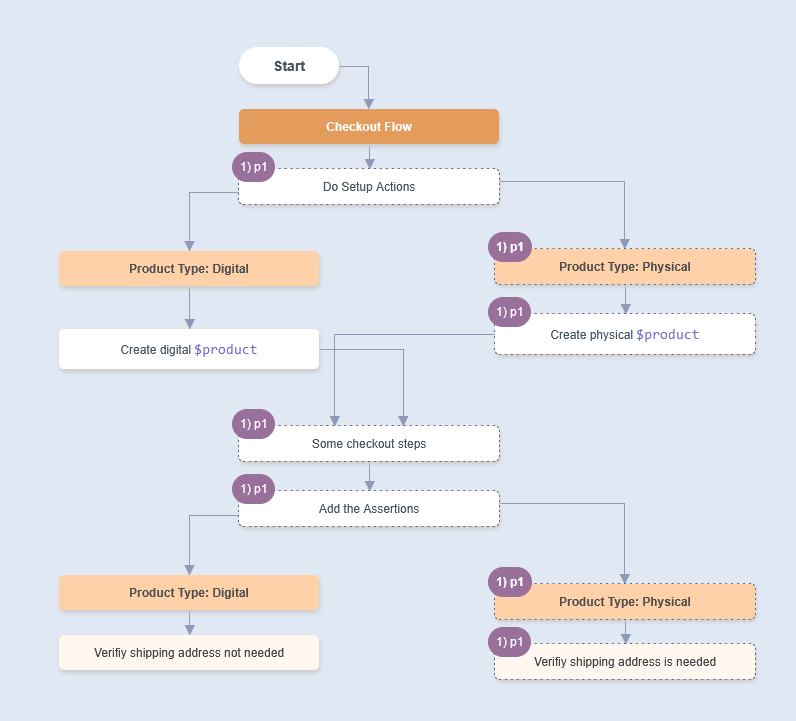
In the example below, there is a setup for two types of products - digital and physical, some common actions and then specific verifications for digital and physical. Here we want to ensure 2 things:
- For a digital product, shipping address is not needed.
- For a physical product, the shipping address is needed.
Adding the sub-label groups ensures that when Product Type sub-label is encountered, the Product Type: Physical will only go through the second Product Type: Physical and not through Product Type: Digital
Branch with Condition
Section titled “Branch with Condition”Some paths are only possible for specific data or only if some specific prior setup has been done.
Conditions can be used to enforce separation of such paths.
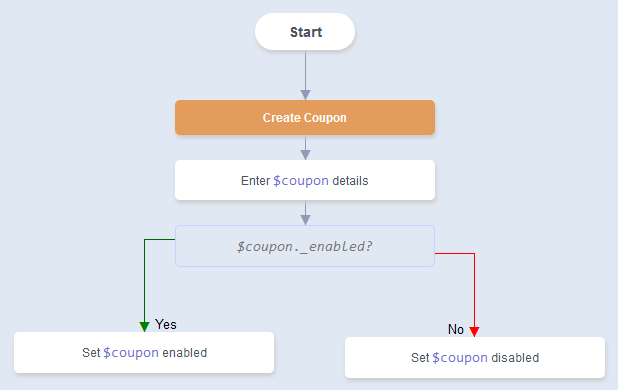
- Only 2 branches are allowed from a Condition node
New Path from Start Node
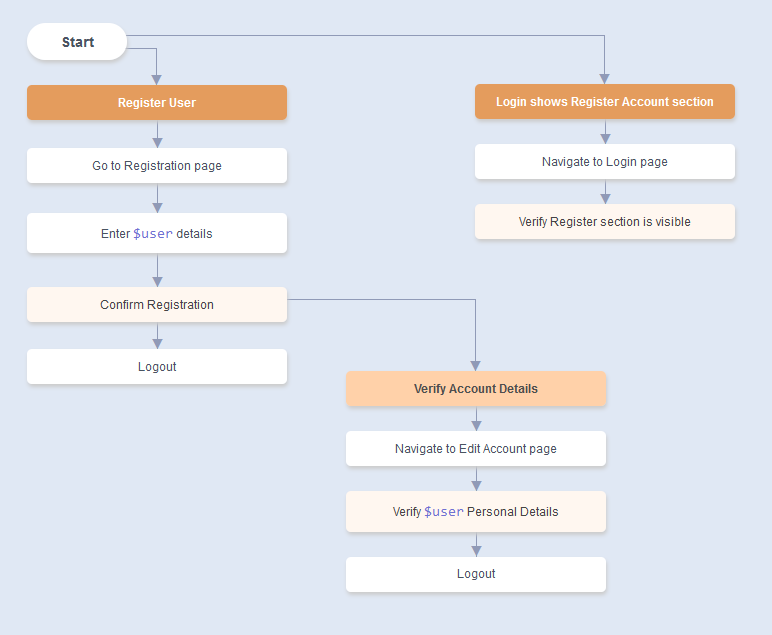
Section titled “New Path from Start Node”An independent path can be created from the Start node.
Such paths are related in context, but do not need to repeat the steps from another path.
Call Path
Section titled “Call Path”Call Path is used to invoke one path from another path. It is achieved through adding Call Path node.
This creates a hierarchical structure where paths can reference and invoke other paths, promoting path reusability and modular design.
Eg.
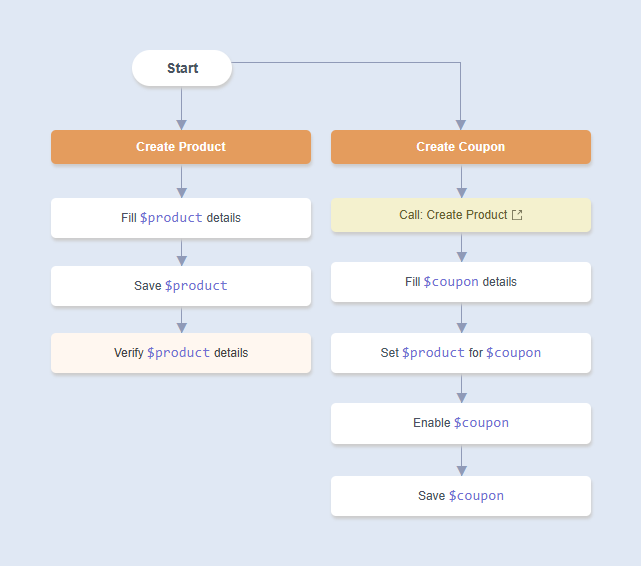
Here Create Coupon calls Create Product as Product should be created before creating Coupon.
Then: When we Automate Create Coupon, we will see the sequence of paths.
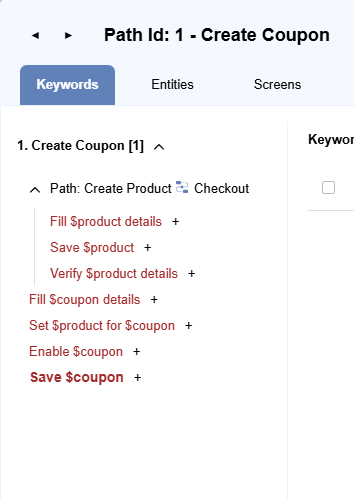
When Create Coupon is run, Create Product will run inside from Create Coupon.
We call paths which run as part of current path as called paths and path which is calling as calling path. In this case, Create Product is a called path and Create Coupon is a calling path.
View All Paths - Table View
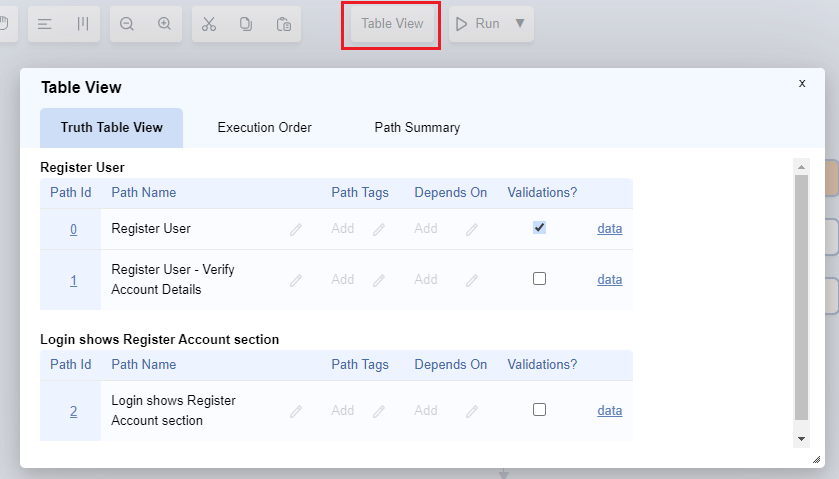
Section titled “View All Paths - Table View”To view all the branched paths in a table view, click on Table View button on the top of the flowchart.
Next: Run/Execute Flows