

Install Sahi Pro
-
Visit the
sahipro.comwebsite. -
Click on
Resourcesmenu and selectInstallers Archive. -
Download Sahi Pro from Sahi Pro’s Downloads Archive page.
-
Save the installation file being downloaded in an appropriate folder.
-
Double click the downloaded installation file to initiate the installation process.
The installation wizard will open to guide you through various stages of installation.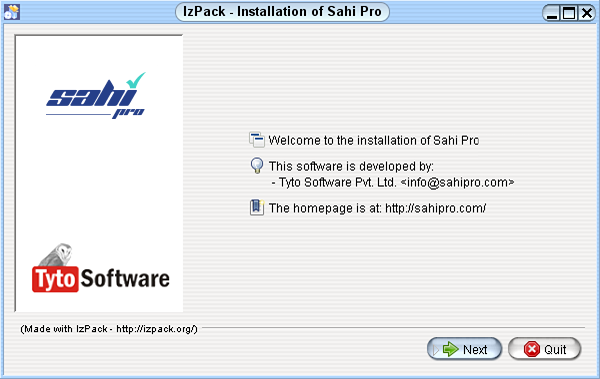
-
Accept the terms of the licence aggreement when prompted.
-
Select a suitable path to install Sahi Pro.
-
An alert message pops up to ask permission to create the target directory. Click OK.
-
Follow the next steps with default selections.
-
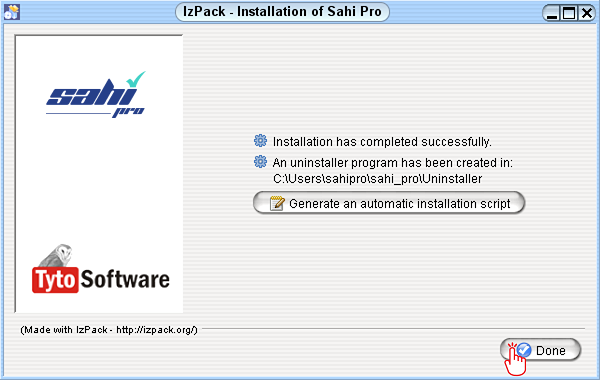
After the process gets completed, click on Done.
Apply Product Key
Section titled “Apply Product Key”-
Start Sahi Dashboard by any of the following methods:
Double click on the desktop shortcut

or
Start from the command line.
- Windows: - Go to
<sahi_root>\userdata\binand runstart_dashboard.bat - Linux - Go to
<sahi_root>/userdata/binand run./start_dashboard.sh
- Windows: - Go to
-
The Sahi Pro console will appear.
The console shows all the backend processes or commands being run by Sahi. Any current process or error will appear here.
C:\Users\sahipro\sahi_pro\userdata\bin>SET SAHI_HOME=..\..C:\Users\sahipro\sahi_pro\userdata\bin>if exist goto setextclasspathC:\Users\sahipro\sahi_pro\userdata\bin>SET SAHI_USERDATA_DIR=..C:\Users\sahipro\sahi_pro\userdata\bin>SET SAHI_EXT_CLASS_PATH="../extlib/*;../extlib/support/*"C:\Users\sahipro\sahi_pro\userdata\bin>REM START ..\..\windows\bin\SahiWin.exeC:\Users\sahipro\sahi_pro\userdata\bin>CALL setjava.batC:\Users\sahipro\sahi_pro\userdata\bin>set SAHI_JAVA_HOME=C:\Program Files\Java\jre1.8.0_202C:\Users\sahipro\sahi_pro\userdata\bin>set PATH=C:\Program Files\Java\jre1.8.0_202\bin;C:\Program Files (x86)\Common Files\Oracle\Java\javapath;C:\WINDOWS\system32;C:\WINDOWS;C:\WINDOWS\System32\Wbem;C:\WINDOWS\System32\WindowsPowerShell\v1.0\;C:\WINDOWS\System32\OpenSSH\;C:\Program Files\Intel\WiFi\bin\;C:\Program Files\Common Files\Intel\WirelessCommon\;C:\ant\bin\;D:\dev\bin\;C:\Program Files\Git\cmd;C:\Users\sahipro\AppData\Local\Microsoft\WindowsApps;C:\Program Files\Java\jdk1.8.0_202\bin;C:\Users\sahipro\AppData\Local\Programs\Microsoft VS Code\binC:\Users\sahipro\sahi_pro\userdata\bin>CALL ..\..\bin\dashboard.bat--------SAHI_HOME: ..\..SAHI_USERDATA_DIR: ..SAHI_EXT_CLASS_PATH: "../extlib/*;../extlib/support/*"--------java version "1.8.0_202"Java(TM) SE Runtime Environment (build 1.8.0_202-b08)Java HotSpot(TM) 64-Bit Server VM (build 25.202-b08, mixed mode)Apr 20, 2024 1:01:18 AM net.sf.sahi.config.Configuration reinitializeINFO: Sahi properties file = C:\Users\sahipro\sahi_pro\config\sahi.propertiesApr 20, 2024 1:01:18 AM net.sf.sahi.config.Configuration reinitializeINFO: Sahi user properties file = C:\Users\sahipro\sahi_pro\userdata\config\userdata.propertiesApr 20, 2024 1:01:18 AM net.sf.sahi.config.Configuration substituteBrowserProxyHostPortINFO: Created C:\Users\sahipro\sahi_pro\userdata\browser\ff\profiles\sahi0\prefs.jsApr 20, 2024 1:01:19 AM net.sf.sahi.config.Configuration substituteBrowserProxyHostPortINFO: Created C:\Users\sahipro\sahi_pro\userdata\browser\chrome\profiles\sahi0\Default\Preferences---------------------------------------------------------------------------------------------------Please enter your product key.--------------------------------------------------------------------------------------------------- -
You will be prompted for the product key.
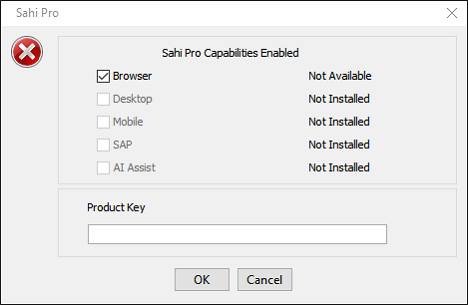
You will need a valid product key to run Sahi Pro. If you do not have a valid product key yet, book a demo to get a 14 day trial.
Enter the product key and click OK. -
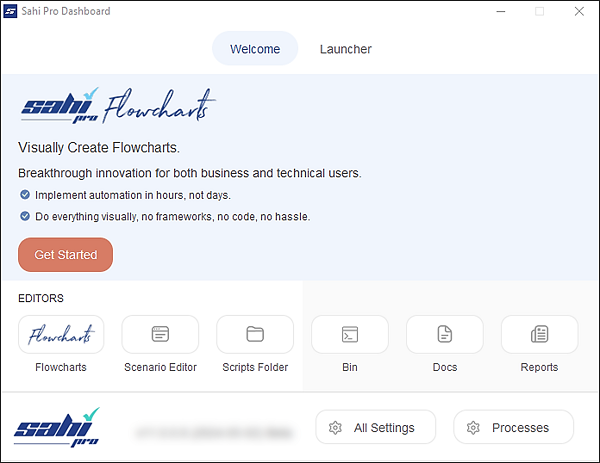
The Sahi Pro Dashboard appears on the desktop:
Next: Create a Flowchart