Read the Response
Send a request and read its body, status and headers in the REST Client.
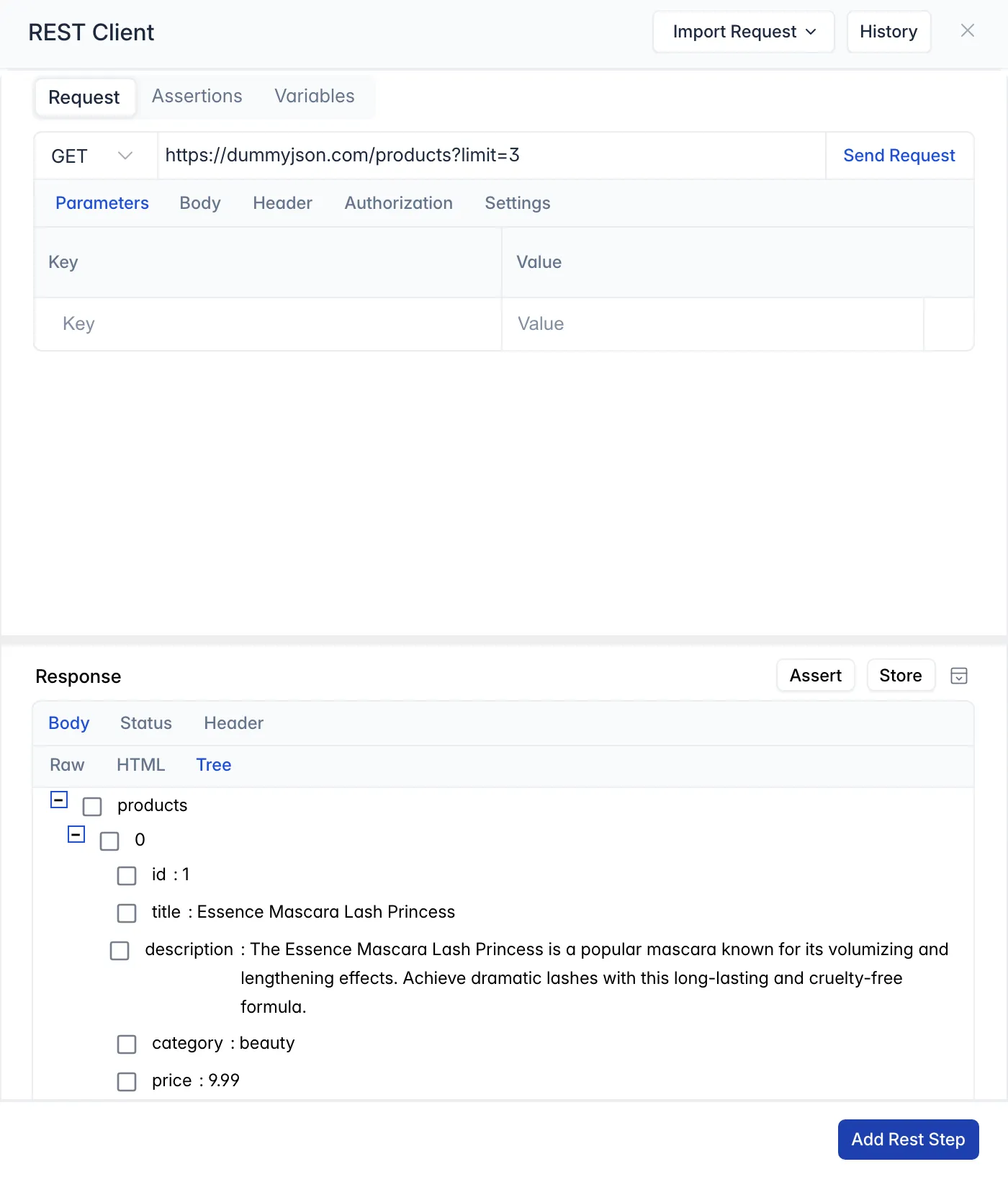
Click Send Request. The Response area below the request shows what the API returned, on three tabs:
-
Body: the response body, in one of three views:
View Shows Raw The response exactly as received HTML An HTML response rendered as a page Tree The structure of a JSON or XML response, with keys you can expand and collapse -
Status: the status code and text, such as 200 OK.
-
Header: the response headers, with their values.
The Tree view is where you pick the values to check or keep: each key has a checkbox, and hovering over a key shows Assert and Store. See Assertions and Variables.