

Applet Automation Using Only Desktop Automation
This section details how to automate Java Applets using only Desktop Automation. If you are not familiar with Applet Automation, refer Applet Automation. To automate a java applets using Sahi Pro Classic, refer Applet Automation Using Only Desktop Automation.
Java Applets can be automated using only Desktop Automation. For this, the Applet elements need to be automated using JAVA mode while the elements on browser need to be automated using WINDOWS mode.
Pre-requisites
Section titled “Pre-requisites”-
You need Sahi Pro version v10.0.0 or above
-
Sahi Pro Desktop Engine needs to be installed.
-
ONLY Desktop capabilities should be enabled. (Needs only Sahi Pro Desktop Engine license)
-
Enable the following property in the userdata.properties file.
windows.identification_on_browser_for_applet.enabled=true
Recording an Applet
Section titled “Recording an Applet”-
Run Inbuilt action
Launch Browser For Appletfrom the Add Step dialog and launch the browser for applet.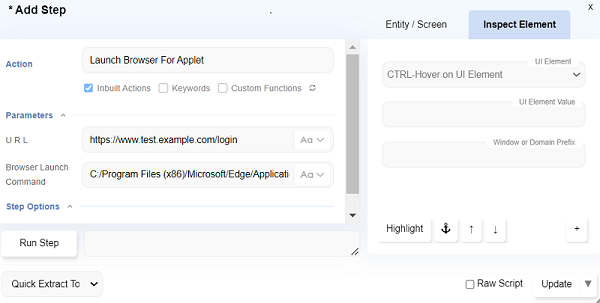
-
You can now start automating. As with normal Sahi Pro Flowcharts, you can use CTRL-Hover to identify various elements on the applet.
-
When automating on the browser, from the automate dialog ensure the windows icon is clicked.
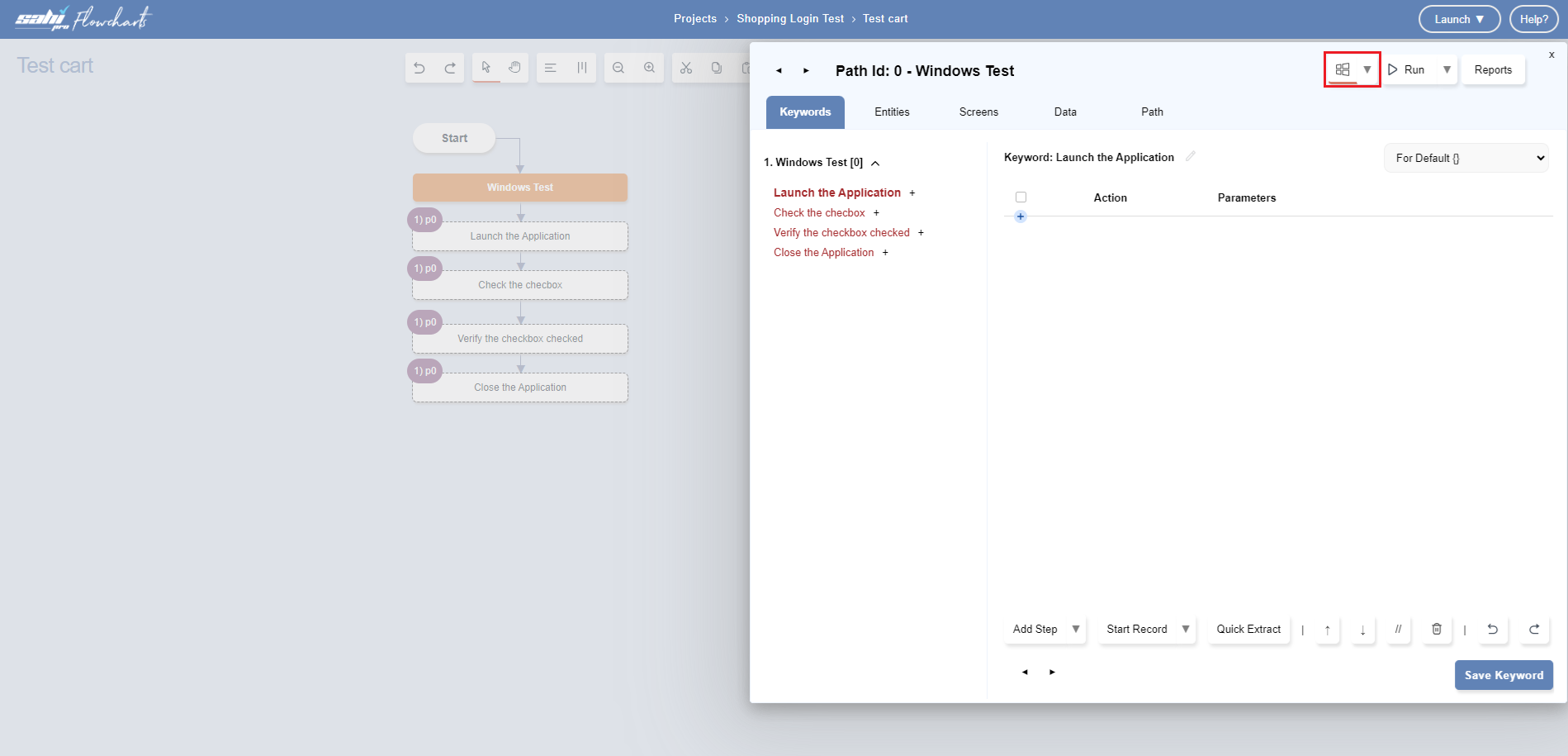
-
When automating on the applet, from the automate dialog ensure the windows icon is not clicked